Word Games: CrossWord & Search
Underwater Games OUWord
4.920.00 Reviews
- Version
- 1.75
- Installs
- 10.00K
- Age Rating
- Everyone
Screenshots
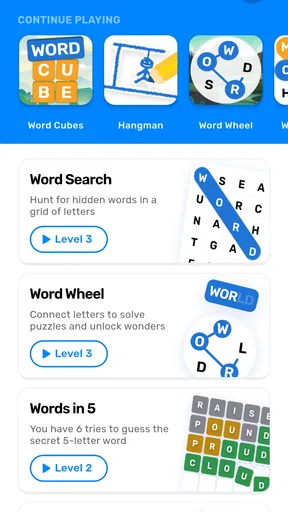
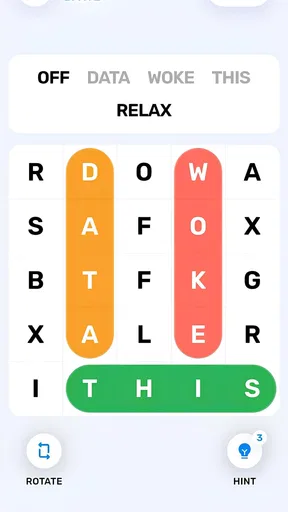
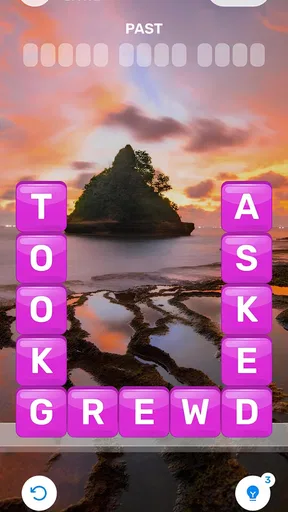
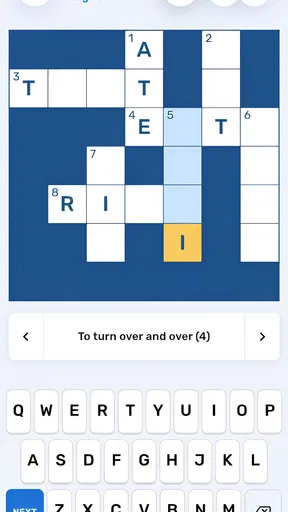
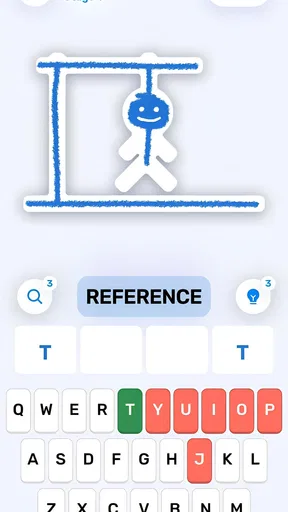
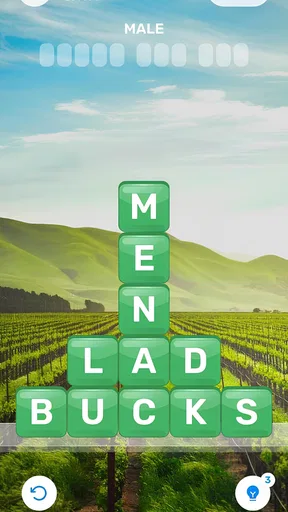
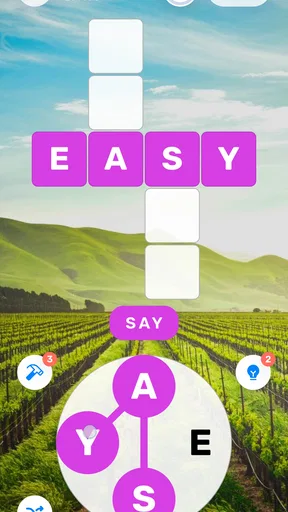
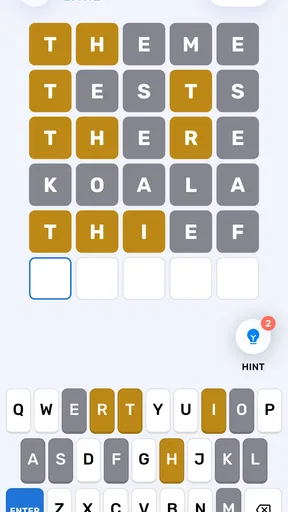
Our Review of Word Games: CrossWord & Search
 Analysis by Appyee
I went into Word Games: CrossWord & Search expecting a familiar collection of letter puzzles, but its appeal is less about one revolutionary rule and more about how comfortably several word-game ideas sit together. It is a free word game from Underwater Games OU, aimed at anyone who enjoys finding patterns, testing vocabulary, and filling a few quiet minutes without learning a complicated control scheme.
The first thing I noticed was how easy it is to understand the basic invitation: choose a word challenge and start looking for answers. That simplicity matters on a phone. I do not need a long tutorial before playing, and I can approach it casually rather than treating every session like a serious competition. At the same time, the collection format gives it more staying power than a single crossword board because I can change the kind of mental task when one style begins to feel repetitive.
Its store summary presents it as a place to play more than ten word games, while the short description keeps the focus extremely direct. That tells me what the experience is trying to be: a broad, accessible word-play package rather than a heavily narrated adventure. If you want a game that explains its premise through characters, story scenes, or a detailed fictional setting, this is not that kind of product. Its personality comes from the act of solving.
How the visual language frames a quiet puzzle session
Because this is a word-focused game, the most important visual job is making letters and puzzle areas comfortable to read. I pay attention to whether a board feels inviting or tiring after several minutes, especially when I am playing on a smaller phone. The strongest part of this type of presentation is its clarity: the visual language needs to guide my eyes toward the available puzzle, the current answer, and the next action without competing with the words themselves.
The underwater identity suggested by the title gives the game a natural mood to build around. Rather than relying on an aggressive arcade presentation, that setting points toward a calmer, more exploratory feeling. I like that direction for word puzzles because it supports concentration. A soft aquatic theme can make repeated searching feel like a small escape during a commute, a break between tasks, or the end of the day.
There is also a useful distinction between atmosphere and decoration. A background can look attractive in a screenshot but still become distracting during play. For this kind of game, the best art direction is the kind I stop noticing once I am thinking about a clue or scanning a letter arrangement. In my experience, that is the right standard here: the setting should frame the puzzle, not ask me to admire it every few seconds.
The collection approach affects the visual rhythm as well. Different word activities naturally need different layouts. A crossword-style board asks me to move across intersecting entries, while a search puzzle asks me to inspect a field of letters and trace relationships. Moving between those formats can keep the session visually fresh, but it also means I need a moment to readjust whenever the board changes. That small pause is worthwhile when I want variety, though players who prefer one perfectly polished mode may find the broader package less focused.
A setting that supports concentration rather than pressure
I would describe the mood as more reflective than competitive. There is no need for the game to shout at me to create engagement; the satisfaction comes from spotting a word that was hidden in plain sight or completing a difficult section after several attempts. That makes it a good fit for players who enjoy puzzles as a way to settle their attention.
This atmosphere also makes the game approachable for mixed-age households. The content rating is Everyone, which matches the general tone of a word-puzzle collection. I could recommend it to someone who wants a family-friendly activity, although vocabulary ability will still determine how comfortable each person feels. A younger player may enjoy searching for visible words, while an experienced solver may care more about tricky entries and efficient completion.
One practical tip is to treat the visual theme as a cue for session length. I find this sort of calm presentation works best when I play in short, deliberate bursts instead of rushing through a large number of boards. If I am tired, I can choose a simpler style of puzzle; if I am alert, I can spend longer examining a more demanding arrangement. That flexible pacing is more useful than it first appears.
Sound, rhythm, and the feel of each move
Sound has an unusual role in a word game. It should make a correct selection feel satisfying and give enough feedback to confirm that an action registered, but it should not interrupt the thinking process. I prefer audio that stays in the background, because the main rhythm comes from my own searching: scan, test, recognize, and move on.
The game’s overall mood benefits from that restrained approach. An underwater-inspired setting naturally suggests a slower pulse than a fast action game. The result is a style of play where I can pause without feeling that I am falling behind. That is important when a word does not immediately come to mind. Instead of being pushed into random tapping, I can look at the board again and let the answer emerge.
There is a trade-off here. Players who want strong musical progression, dramatic sound effects, or a clear sense of rising intensity may find a word-game collection too quiet. I would not choose this as my main game for a loud, energetic session. Its rhythm is built around mental momentum, not spectacle. That is a strength when I want focus and a weakness when I want excitement.
I also think about how sound affects everyday use. I might open a puzzle while waiting for an appointment or during a short break, often with my phone muted. A game that remains understandable without depending on spoken instructions or elaborate audio cues is more practical in those moments. The core interaction is visual and textual, so silence does not remove the main reason to play.
Why the slower pace works for some players
The absence of constant urgency gives me room to use a useful solving routine. I first look for short or obvious words, then inspect the remaining letters and intersections, and only after that consider a hint or a guess. This order prevents me from burning through options too early. In a mixed collection, the same habit does not work perfectly for every mode, but the general principle remains valuable: establish what the board is asking before reacting to it.
Another tip is to switch modes when my attention starts to flatten. Continuing with the same type of puzzle after I have become mentally stuck can make the game feel harder than it really is. Moving to a different word activity gives my brain a new shape to process, and I can return later with a cleaner view. That is one of the strongest reasons to have multiple word games in one app instead of relying on a single daily board.
How the mechanics fit together in actual play
The central appeal is variety within a familiar category. Crosswords reward knowledge, spelling, and the ability to use intersecting answers as clues. Word searches reward visual scanning and patience. Those are related skills, but they do not feel identical. I appreciate being able to move between them because a session can remain enjoyable even when I am not in the mood for a clue-heavy challenge.
The collection format also makes the game easier to recommend selectively. Someone who already enjoys traditional crosswords can approach the other modes as a change of pace, while someone who prefers visual word hunts can stay closer to that style. It is not necessary to love every activity for the overall package to make sense. The value comes from having alternatives available when one format stops matching my energy.
That flexibility has a limit. A large selection does not automatically mean every mode will have the same depth or the same level of polish. When I compare this with a dedicated crossword app, the specialist alternative may offer a more concentrated experience for players who care about carefully themed clues, long-term solving habits, or one consistent board style. When I compare it with a simple word-search app, the specialist version may feel faster to open and easier to understand because it removes the need to choose between formats.
For me, this game sits between those extremes. It is better suited to variety than mastery of one particular discipline. I would pick it when I want a flexible word-game shelf on my phone. I would look elsewhere if my main goal were a highly focused crossword routine or a competitive system built around rankings and timed performance.
Small decisions that improve the experience
I get more from the game when I decide what kind of session I want before opening a board. For a short break, I choose a mode with quick visual feedback. For a longer quiet period, I choose a format that lets me think through clues and intersections. This sounds obvious, but it prevents the common mistake of judging the whole game after starting with a mode that does not suit the moment.
I also recommend resisting the urge to treat every unsolved word as a vocabulary failure. Sometimes the problem is simply the board’s arrangement or the order in which I approached it. I look for crossing letters, group the possible answers by length, and revisit the most constrained spaces first. That method is especially helpful in crossword-style play because one confirmed entry can unlock several others.
For word searches, I use a different workflow. I scan in straight lines first, then check diagonals and reversed directions, rather than moving randomly around the grid. I also avoid marking every possible fragment in my head because that creates visual noise. These are not flashy tricks, but they make the game feel more deliberate and reduce the frustration of staring at the same letters without progress.
The free price makes experimentation easy. I can try the different activities without making an upfront commitment, which is useful when I am unsure whether the collection matches my taste. There are in-app purchases priced from $1.99 to $8.49 per item, so I would pay attention to any optional purchase prompt and decide whether it genuinely improves my session before spending. The important trade-off is straightforward: free entry lowers the barrier, while optional purchases may matter to players who want additional convenience or content.
That payment structure is also a reason I would not hand the phone to a child without basic purchase awareness. The Everyone rating describes the type of content, not a promise that every player will make sensible spending decisions. For family use, I would keep purchases under adult control and treat the game as a shared puzzle activity rather than an unattended way to pass time.
Who will enjoy it, and who may want something else
I think it is a good match for casual solvers, vocabulary learners, commuters, and people who like changing between crossword and search-based challenges. It works particularly well for someone who wants a low-pressure game that can be opened for a few minutes and left without losing the point of the session. The combination of a calm setting and varied word mechanics gives it a friendly place in a daily app rotation.
I would be more cautious recommending it to a player who needs a single deep system. If you want a strict competitive ladder, a detailed narrative campaign, or a specialized crossword database, a dedicated alternative will probably serve you better. It may also be a poor fit if you dislike word puzzles in general; the underwater mood can make the package more inviting, but it does not change the fact that solving letters is the main activity.
Device compatibility is fairly broad, with support beginning at Android 7.0. The current version is 1.75, and the game has passed ten thousand installs, while its average rating is 4.9 from around two hundred ratings. Those figures suggest that the early audience has responded warmly, but I would still judge it by my own preferred puzzle style rather than assuming a high rating guarantees a perfect match.
The developer, Underwater Games OU, has chosen a clear identity instead of trying to turn the game into a general entertainment hub. That focus helps the experience feel coherent: the setting, the quiet tempo, and the word mechanics all point toward relaxed concentration. The compromise is that the game does not appear designed to satisfy every kind of mobile player, and that is fine. A focused mood is more memorable than a collection with no recognizable character.
My atmosphere verdict after spending time with it
What stays with me is the way the presentation supports the mechanics without overwhelming them. The aquatic framing gives the puzzles a gentle sense of place, while the slower rhythm leaves enough mental space to search, reconsider, and solve. I do not come to it for a dramatic story or a loud reward loop. I come because a few minutes of arranging letters can be a surprisingly effective reset.
The best use case is a flexible daily routine. I might play one quick word search while waiting, return to a crossword-style board later, and switch again when I want a different kind of concentration. That pattern makes the collection feel more useful than a single-mode title. It also gives me a practical way to manage difficulty: change the puzzle shape instead of forcing myself through frustration.
Its limitations are tied to the same design choice that makes it appealing. Variety can mean that dedicated fans of one format will find a specialist app more satisfying. The peaceful mood can feel too subdued for players seeking urgency. Optional purchases mean I would keep an eye on spending, particularly in a family setting. None of those points ruin the experience, but they define who should install it.
My recommendation is simple: if you want a free, Everyone-rated word game with a calm underwater flavor and more than one way to exercise your vocabulary and visual attention, I think it is worth trying. I would approach it as a relaxed puzzle collection, not as a replacement for a serious crossword platform. For the right player, Word Games: CrossWord & Search creates a coherent little space where art direction, sound, pacing, and mechanics all encourage the same thing: slow down, look closely, and enjoy finding the answer.
Verdict
Strengths of Word Games: CrossWord & Search
- Combines crossword puzzles and word searches in one app.
- Simple interface makes it easy to start playing quickly.
- Suitable for short sessions during commutes or breaks.
- Helpful clues can assist when a puzzle becomes difficult.
- Improves vocabulary and spelling through repeated word practice.
Limitations of Word Games: CrossWord & Search
- Some puzzles may feel repetitive after extended play.
- Hints can reduce the challenge for experienced word-game fans.
- Difficulty progression may not suit every player.
- Requires patience when answers depend on less familiar words.
- Advertising may interrupt the flow between puzzles.
Similar Picks in This Category
View All
Word Search - Word Puzzle Game
Bluetile4.8

Word Search Quest - Puzzles
Blackout Lab4.8

CodyCross: Crossword Puzzles
Fanatee, Inc.4.7

Words of Wonders: Crossword
Fugo Games4.9

Wordscapes: Word puzzle game
PeopleFun4.7

Word Search Explorer
PlaySimple Games4.9
Frequently Asked Questions
What is Word Games: CrossWord & Search?
Word Games: CrossWord & Search is a casual word-puzzle app that combines crossword-style challenges with word-search gameplay. It is designed for players who enjoy finding hidden words, completing clues, and improving their vocabulary at a relaxed pace. The app generally offers short, accessible rounds, making it suitable for quick sessions as well as longer puzzle-playing periods.
How does the gameplay work in Word Games: CrossWord & Search?
The app includes different word-based activities rather than relying on only one puzzle format. In crossword challenges, you typically use clues to fill the correct answers into a grid, while search puzzles require you to locate words among groups of letters. Difficulty may increase as you progress, with more complex clues, larger grids, or less obvious word combinations requiring greater concentration.
Is Word Games: CrossWord & Search suitable for beginners?
Yes, the game is generally approachable for beginners because its core mechanics are easy to understand and do not require previous crossword experience. Early puzzles usually help players become familiar with the controls and clue system before introducing more demanding challenges. However, some later levels can require a broad vocabulary, careful observation, and patience, especially when answers are not immediately obvious.
Does Word Games: CrossWord & Search work offline?
Many of the basic puzzles may be playable without a constant internet connection once the necessary game content has loaded, which is convenient for travel or areas with unreliable service. Nevertheless, features such as advertisements, progress synchronization, updates, leaderboards, or optional purchases may require internet access. It is best to open the app while connected before relying on it for completely offline entertainment.
Are there hints, advertisements, or in-app purchases in the game?
Word Games: CrossWord & Search may include optional assistance features, such as hints or tools that reveal letters or words when you are stuck. These features can make difficult puzzles more manageable, but they may be limited or connected to an in-game currency. Depending on the version and device, the app can also display advertisements and offer optional purchases, so review the store listing and permission details before downloading.
Play our best games!


